
- “Eaglesoft billing services” covers two things: the insurance tools inside Patterson’s Eaglesoft (eClaims, eAttachments, eRA, real-time eligibility and eStatements, delivered through the Patterson-authorized clearinghouses Vyne Trellis or DentalXChange) and an outsourced billing team whose staff log into your Eaglesoft to verify benefits, submit claims with attachments, post payments and work the Outstanding Claims reports. Eaglesoft submits and tracks; a person still follows up.
- Eaglesoft shows each claim’s state — Unsubmitted, Unsubmitted Electronic, In Process, Open — and drops a rejected electronic claim back to Unsubmitted Electronic on the next transmission (Patterson Support, April 2026). The status change alone does not say why; someone still reads the clearinghouse report, calls the payer and writes the appeal.
- An outside team works under its own Eaglesoft user IDs: a Security Administrator gives each person a security profile (Administrator, Basic User, Clinical User, Practice Management User or custom) and can allow or block items zone by zone, so an office can withhold write-off rights and switch a user off at any time.
- The daily routine lives in the Outstanding Claims by Aging Category report (0–29, 30–59, 60–89 and 90+ days, open claims only) and the Receive Insurance Payment window, where the Final Payment checkbox opens the choices — bill the patient, credit the account, recreate the claim, update the deductible — that decide whether a short payment becomes an appeal, a write-off or a patient balance.
- Verimedix bills Eaglesoft offices for 2.75% of insurance collections with the first month free, no minimum for the first six months and then $799 a month, month to month with everything included; verification only is $1.95 per eligibility check and $3.95 per full breakdown.
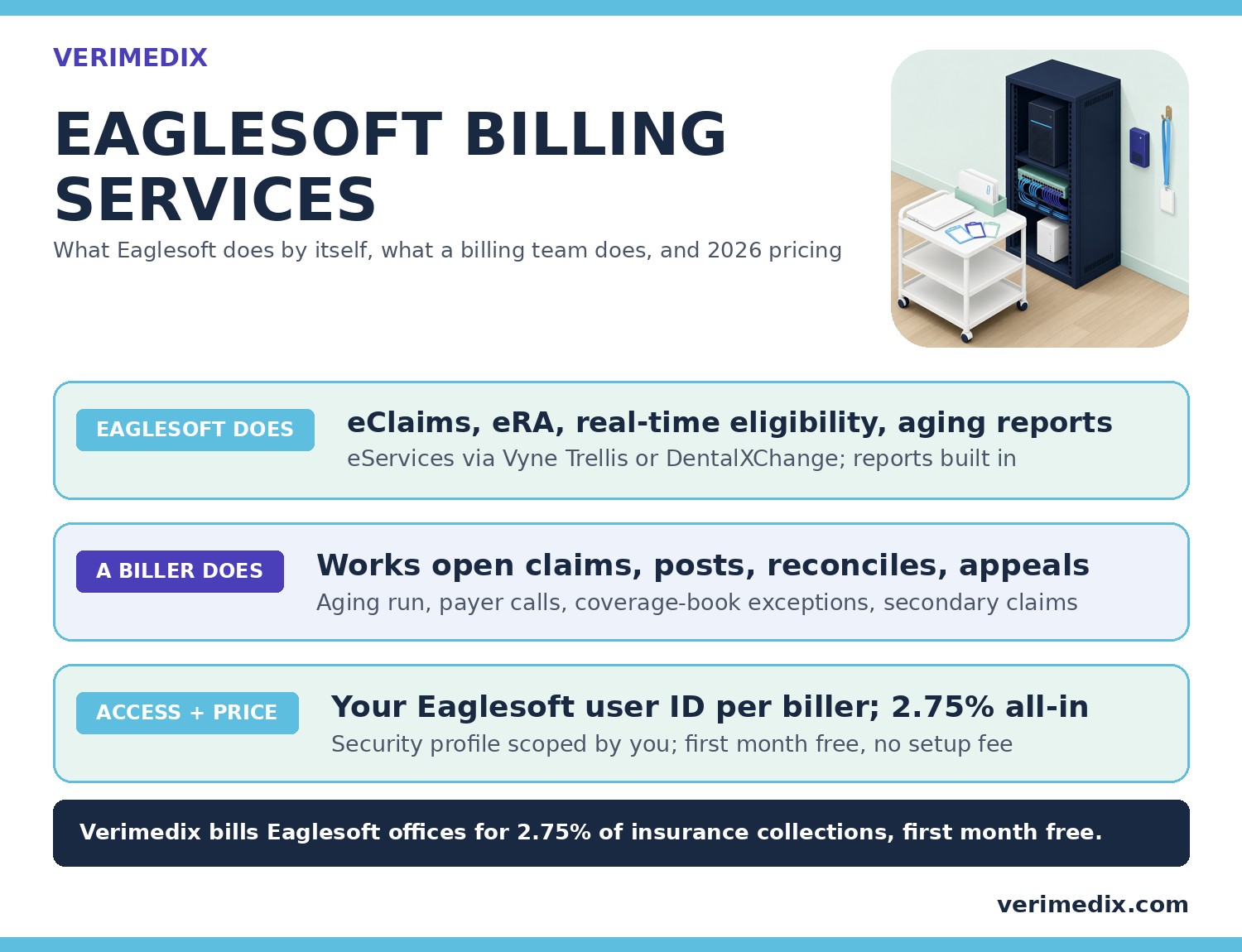
What does “Eaglesoft billing services” actually mean?
Eaglesoft is Patterson Dental’s practice management system, installed on a server in the office with workstations on the network (Patterson Support’s hardware requirements and network guidelines, Answer 5073, updated August 11, 2026). Its insurance tools are sold as eServices — eClaims, eAttachments, eRA remittance, real-time eligibility and eStatements — delivered through two Patterson-authorized eService vendors, Vyne Trellis and DentalXChange (both dental clearinghouses), purchased through and supported by Patterson (Patterson Support, “Eaglesoft Third Party Integrations,” Answer 18100, revised November 3, 2026). That is the first meaning of the phrase: the vendor’s rails.
The second meaning is the one offices search for when the rails are in place and the claims still sit unpaid: an outsourced billing company whose staff work inside your Eaglesoft every day. Eaglesoft sends the claim, shows its status, downloads the remittance and prints the aging report; someone still has to decide what goes on the claim, read what came back, chase what stalled and reconcile the money. When an office cannot staff that reliably, it buys it as a service, and that is what Verimedix sells as dental billing services for Eaglesoft, Dentrix, Open Dental, Curve and Denticon offices.
What does Eaglesoft do on its own, and where does a person still come in?
Start with the claim’s life inside Eaglesoft. The Process Insurance Claims window (Activities > Process Insurance Claim) lists claims by status: Unsubmitted (to be printed), Unsubmitted Electronic (waiting for the next transmission), In Process (sent to the clearinghouse, awaiting a response) and Open (accepted, awaiting payment). On the next electronic submission Eaglesoft updates each In Process claim: accepted claims move to Open; a claim the clearinghouse rejected “and sent back to the office” returns to Unsubmitted Electronic (Patterson Support, Answer 35, revised April 7, 2026). The eServices add the rest: eAttachments travel with the claim, real-time eligibility runs from inside the software and eRA brings the payer’s remittance back electronically — Patterson’s own blog puts the aim as submitting “claims and attachments together” to reduce errors and get paid faster (Patterson Dental, Off the Cusp, January 24, 2025).
Every one of those features ends at a decision a person has to make. A claim that falls back to Unsubmitted Electronic has been rejected, but the status does not say whether the fix is a tooth number, a subscriber ID or a missing attachment; someone reads the clearinghouse report and corrects it. The aging report says a claim has sat 60–89 days; it does not make the call that finds out the payer never received it. Receive Insurance Payment distributes the check across the claim’s services automatically, but whether a $0 line is a denial to appeal, a downgrade to bill the patient or a duplicate to resend as a corrected claim is the biller’s call — and Eaglesoft asks that question the moment you tick Final Payment.
| Billing step | What Eaglesoft does by itself | What still needs a biller |
|---|---|---|
| Verify coverage | Real-time eligibility through Vyne Trellis or DentalXChange; employer coverage books that drive the estimate | Full breakdown: frequencies, waiting periods, downgrades, history, missing-tooth clause; the patient estimate |
| Build the claim | Electronic claim with eAttachments; claims that cannot go electronically printed from the Unsubmitted queue | CDT code check, confirming the right X-ray and perio chart are attached, a narrative that matches the chart |
| Track the claim | Claim statuses; Outstanding Claims by Aging Category and by Insurance Company; Electronic Claims Submission Summary | The daily aging run, the payer call, the reference number in the note, the resend before timely filing |
| Post the money | Receive Insurance Payment distributes the check across the claim’s services; eRA supplies the remittance; bulk insurance payments for one check covering many patients | Denial vs downgrade vs duplicate, the adjustment type, the Final Payment choice, sending the secondary claim with the primary EOB, reconciliation to the deposit |
| Fix what came back | Rejected electronic claims returned to Unsubmitted Electronic; Recreate Claim and Smart Claim reopen or re-create a claim | Correct and resend with the original claim number; appeal with narrative, X-rays and charting; coverage-book exceptions from the EOB |
None of this is a criticism of the software — the same line exists in every practice management system, and we draw it the same way in our guides to Dentrix billing services and Open Dental billing services. It is simply where software stops and billing starts.
How does an outside billing team get into your Eaglesoft?
Eaglesoft was built for named users with scoped rights. A Security Administrator — any provider shown in bold on the Logon screen, or the Security Administrator login itself — opens Lists > Providers/Staff, selects the person and clicks Edit > Security. Each user gets a security profile: Eaglesoft ships four (Administrator for full access, Basic User for “basic but very limited access,” Clinical User and Practice Management User), and the office can build its own under Lists > Security Profiles by turning items in each Security Zone green (allowed) or red (blocked), or using Allow All and Block All for a whole zone (Patterson Support, “Security Profiles,” Answer 13250). That is the whole access model for an outside billing team: one user per biller, a profile scoped to the billing work, nothing shared.
How the biller reaches that login is an IT question. Because Eaglesoft runs on your office server, the usual arrangement is a remote session into your network — a remote desktop or VPN connection your IT provider sets up and can revoke — so the database never leaves your building and nothing is exported, copied or re-keyed. The sequence is the same in every office we bill for: a signed Business Associate Agreement before any access, one Eaglesoft user ID per Verimedix biller created and scoped by you, and your ability to switch a user off the moment you want to; your front desk sees the same Account window, claim statuses and aging report we do. If you only want the front end of the cycle covered, dental insurance verification services run the same way, at $1.95 per eligibility check and $3.95 per full breakdown with no minimum.
What does an Eaglesoft billing company do in your software every day?
A billing service earns its fee in the unglamorous middle of the cycle, after the claim has gone out and before the money is in the bank. Our dental team works every office in the same order, every day:
- Pending resubmissions — corrected claims that are ready to go back out.
- Payer call-backs — anything a representative promised to review.
- Medicaid claims over 60 days.
- Claims the payer says it never received.
- The oldest claims on the aging report.
- The highest-dollar claims.
Inside Eaglesoft that routine has a specific shape. The queue comes from Reports > Insurance > Outstanding Claims by Aging Category, which lists open claims in 0–29, 30–59, 60–89 and 90+ day buckets with submitted, estimated and paid totals, filtered by insurance company or provider; its sibling, Outstanding Claims by Insurance Company, groups the same claims by payer so a biller can work one carrier’s backlog in one call (Patterson Support, “Insurance Reports,” Answer 22739, revised September 10, 2025). Both reports count only Open claims, which is why the Unsubmitted Electronic queue is checked first every morning: a rejected claim is not on the aging report at all. Every payer conversation goes into the account notes with the reference number, so the next person to open the claim can read the history without asking anyone.
Posting follows the same discipline. Eaglesoft’s Receive Insurance Payment window (Activities > Receive Insurance Payment, or the Insurance Payment tab on the Account window) takes the patient, the open claim, the payment type, check number and amount, then distributes the money across the claim’s services — estimated insurance first, then a second pass up to the submitted amount — with every line editable; a check covering many patients is posted as a bulk insurance payment (Patterson Support, Answers 12029 and 12284). The decisions sit in the Final Payment checkbox: tick it and the Closing Primary Insurance Claim window asks what to do with the unpaid difference — apply it back to the account, credit the account with an adjustment type (Patterson’s own example is “Delta Dental write-offs”), recreate the claim, or update the patient’s annual deductible from the EOB. When a payer pays three procedures and holds two, the held procedures go back out as a corrected claim carrying the original claim number and an “exception, not a duplicate” remark in box 35 of the ADA form, so the payer does not reject it as a duplicate. When the EOB explains an exception — a downgraded posterior composite, a frequency limit — it is recorded in the employer’s coverage book so the estimate is right next time, as Patterson’s posting instructions ask. Every EFT and check is posted the day it arrives and matched to the bank deposit, so the aging report shows what is really outstanding.
Two more habits separate a billing service from a claims-submission service. Attachments are checked per procedure before a claim leaves — crowns, buildups, scaling and root planing, root canals, bone grafts and night guards — and a narrative that does not match the X-rays and charting does not go. And denials are worked, not filed: every appealable denial is appealed within five business days with a one-page narrative, the ADA claim form, X-rays, perio charting and photos, usually four to five pages and never more than ten; correctable denials are resent before the payer’s filing limit rather than written off, which is why our guide to working aged dental claims starts with the deadline, not the balance.
Which reports should an Eaglesoft billing company send you?
You should never have to ask how your billing is going. The minimum is a weekly AR report built from your own Eaglesoft data: Outstanding Claims by Aging Category by bucket and by Insurance Company by payer, a posting log that ties to the week’s deposits, a denial log with each denial’s reason, appeal date and outcome, and the claims resent that week — with the Electronic Claims Submission Summary, which records when each claim was sent and by whom: the office’s own send record, kept alongside the clearinghouse acceptance reports for when a payer disputes timely filing (what each payer accepts as proof varies). Because the work happens in your Eaglesoft, every number can be checked by opening the Account window; if a company reports from its own spreadsheet rather than from your system, ask why. Verimedix sends that report from week one, and the free unpaid-claims audit you get before you decide is the same report run on the claims you already have over 60 days.
What do Eaglesoft billing services cost?
Dental billing companies price in one of three ways — a percentage of insurance collections, a flat monthly fee, or per-claim pricing — and our guide to dental billing company pricing covers when each model wins. Whatever the model, the real cost turns on five questions: is verification included, is there a monthly minimum and from when, is old AR worked or quoted separately, is there a setup fee, and what notice ends the agreement.
Verimedix publishes its price. For an Eaglesoft office the service is 2.75% of insurance collections with everything included — eligibility and full breakdowns, claims, denials and appeals, payment posting, old AR, credentialing and the weekly AR report. Your first month is free, there is no setup fee, there is no monthly minimum for the first six months and $799 a month after that, and the agreement is month to month with 30 days’ notice. The full card, with a comparison to the published minimums and rates of other dental billing companies, is on our dental billing pricing section.
| Item | Verimedix for Eaglesoft offices | What to check with any other company |
|---|---|---|
| Rate | 2.75% of insurance collections | Whether the percentage is of insurance collections only or of all collections |
| First month | $0, full service | Whether a trial period exists and what it excludes |
| Monthly minimum | None for the first 6 months, then $799 | The minimum, the month it starts, and whether it applies during a slow month |
| Verification | Included (on its own: $1.95 per eligibility check, $3.95 per full breakdown) | Per-check fees that sit outside the percentage |
| Old AR | Worked from day one at no extra fee | A separate cleanup fee or a higher rate on aged claims |
| Setup and contract | No setup fee; month to month, 30 days’ notice | Setup fees, minimum terms and termination notice |
Worked example (illustrative). A two-doctor Eaglesoft office collecting $50,000 a month from insurance pays 2.75% × $50,000 = $1,375 a month from month two and $0 in month one, so the first-year fee is 11 × $1,375 = $15,125 for the whole cycle, verification and credentialing included. Whether the fee pays for itself is the audit’s job to show: if the free unpaid-claims audit finds $20,000 over 60 days on your Outstanding Claims by Aging Category report and a meaningful share is still inside filing limits, the recovery can cover months of the fee — but measure that on your own report; it is not a promise.
How to choose an Eaglesoft billing company: eight checks
- They work inside your Eaglesoft, not from exports. One user ID per biller, created by you, with a security profile scoped by you. No spreadsheets of your ledger leaving the building.
- They can describe your Eaglesoft workflow back to you. Ask what they do with a claim that drops back to Unsubmitted Electronic, how they post a bulk insurance payment, and which Final Payment option they choose for a contracted write-off. Vague answers mean a generalist.
- Attachments are checked per procedure before submission. Ask what goes out with a crown, a buildup and scaling and root planing, and what their narrative standard is.
- The aging report is worked daily, in a stated order. Oldest and highest-dollar first, with Medicaid and “never received” claims handled as their own queues, and the rejected-claims queue cleared before the aging run.
- Posting is reconciled to deposits. Every EFT and check matched to the bank, every day, so your AR is real.
- Denials have a clock. A stated number of business days to work and appeal each denial, and a denial log you can read.
- Credentialing is covered. A new associate or a new PPO should not become a second vendor; our dental credentialing services are included in the billing fee.
- The price is published and the contract is short. Rate, minimum, setup fee, what is included and the notice period, in writing, before you sign. The seven questions in our guide to choosing a dental billing company cover the rest of the interview.
Quick Answers
What are Eaglesoft billing services? Either the insurance tools inside Patterson’s Eaglesoft — eClaims, eAttachments, eRA, real-time eligibility and eStatements through Vyne Trellis or DentalXChange — or an outsourced billing company whose staff work inside your Eaglesoft to verify benefits, submit claims with attachments, post payments and work the Outstanding Claims reports. Eaglesoft submits and tracks claims; a billing team follows them up.
Does Eaglesoft do insurance billing by itself? Eaglesoft sends electronic claims and attachments, checks eligibility in real time, shows each claim’s status, imports electronic remittance and distributes a payment across a claim’s services. Reading why a claim was rejected, calling payers, writing narratives and appeals, choosing the right closing option on a short payment, sending out the secondary claim Eaglesoft creates when the primary closes (with the primary EOB most payers require — Patterson Support, Answer 12038), and reconciling deposits are still human work.
How does a billing company access Eaglesoft? Through a user ID the office’s Security Administrator creates for each biller, with a security profile that allows the billing zones and blocks the rest; because Eaglesoft runs on the office server, the biller reaches it through a remote session your IT provider controls. A Business Associate Agreement is signed first.
Does Eaglesoft need a separate clearinghouse? Its electronic claims, attachments, remittance and real-time eligibility are delivered through Vyne Trellis or DentalXChange, both sold and supported by Patterson as authorized eServices (Patterson Support, November 2026); a billing company works in whichever one your office already has.
How much do Eaglesoft billing services cost? Verimedix charges 2.75% of insurance collections with everything included, first month free, no minimum for six months and then $799 a month, month to month. Verification alone is $1.95 per eligibility check and $3.95 per full breakdown.
Do we have to change software or export data? No. The work is done in your Eaglesoft under the billers’ own logins, so your Account windows, claim statuses and aging reports stay where they are and your team sees the same screens.
Frequently asked questions
Eaglesoft sells billing tools, not a billing team. Its eServices — eClaims, eAttachments, eRA, real-time eligibility and eStatements — are delivered through Vyne Trellis or DentalXChange and purchased through Patterson, and Patterson lists online payments and text-to-pay among the integrated options (Patterson Support, Answer 18100, revised November 3, 2026). Working the aging report, calling payers, appealing denials and reconciling deposits still need a person, in-house or outsourced.
Yes, and it should never share them. Eaglesoft’s Security Administrator creates a user for each biller under Lists > Providers/Staff and assigns a security profile; the four defaults are Administrator, Basic User, Clinical User and Practice Management User, and a custom profile can allow or block items zone by zone. Verimedix billers each get their own Eaglesoft user ID, created and scoped by your office, and you can switch any of them off at any time.
Patterson lists two authorized, Patterson-billed eService providers for Eaglesoft: Vyne Trellis and DentalXChange, each offering eClaims, eAttachments, eRA, real-time eligibility and eStatements (Patterson Support, Answer 18100, revised November 3, 2026, which also warns that some vendors have built unauthorized integrations). A billing company works inside whichever one your office already uses; switching clearinghouses is not part of outsourcing your billing.
When the payment is entered in Receive Insurance Payment and marked Final Payment, Eaglesoft’s Closing Primary Insurance Claim window offers the choices: apply the unpaid amount back to the account, credit the account with an adjustment type, recreate the claim, or update the patient’s deductible (Patterson Support, Answer 12029). The biller’s job is choosing correctly — a contracted write-off is credited, a patient-responsibility downgrade is billed, a short payment on held procedures is resent as a corrected claim with the original claim number, and a true denial is appealed with narrative, X-rays and charting.
2.75% of insurance collections with everything included — eligibility and full breakdowns, claims, denials and appeals, payment posting, old AR, credentialing and a weekly AR report. The first month is free, there is no setup fee, no monthly minimum for the first six months and then $799 a month, month to month with 30 days’ notice. Verification on its own is $1.95 per eligibility check and $3.95 per full breakdown with no minimum.
About 14 days, with no gap in claims. You sign two pages (a Business Associate Agreement and a one-page month-to-month agreement), we run the free unpaid-claims audit on every claim over 60 days, we agree the old-AR cleanup plan and introduce your named biller, and then claims, posting and follow-up go live with a weekly AR report from week one. Your old AR is worked from day one at no extra fee.